
By Lawrence Philemon · Head of Performance Ads, Gwenchana Digital · Last updated: 12 October 2026
ChatGPT Ads are sponsored placements that appear below ChatGPT’s answers for users on the Free and Go plans. OpenAI matches ads to the conversation’s context and advertiser-provided context hints, and says ads don’t influence answers. Since 23 September 2026, eligible businesses in Singapore, Indonesia, Malaysia and the Philippines can buy them self-serve in Ads Manager.
ChatGPT Ads in Southeast Asia, as of 12 October 2026. OpenAI began rolling out ChatGPT Ads in Indonesia, Malaysia, the Philippines, Singapore, Thailand, Vietnam and Taiwan on 23 September 2026, and all seven are listed as available for self-serve Ads Manager. Ads show only to Free and Go users. No public performance benchmarks exist yet for any Southeast Asian market.
This guide is for marketing leads and business owners in Southeast Asia deciding whether ChatGPT advertising is worth a test. It covers how ads are chosen and paid for, who can buy them, and each setup step in OpenAI Ads Manager, using the labels you’ll see on screen.
The detail comes from OpenAI’s announcements and Help Center, plus our own account. Gwenchana is an Indonesian company, and in October 2026 we went through business verification, ran a test campaign and caught a tracking mistake worth sharing. One disclosure: we run digital advertising for clients, and we are not one of OpenAI’s named agency partners.
What are ChatGPT Ads?
ChatGPT Ads are labelled sponsored placements that appear below a ChatGPT response and link to an advertiser’s landing page.
ChatGPT Ads is OpenAI’s advertising product that shows labelled sponsored placements below ChatGPT responses. Advertisers buy and manage them in OpenAI Ads Manager.
According to OpenAI’s Help Center, each ad unit has six parts:
- Advertiser name
- Favicon, the advertiser’s logo
- Title, the headline
- Copy, a short description
- Image
- Landing page, where the click goes
[IMAGE: A ChatGPT ad below an answer, seen in Indonesia | file: nexus-output/chatgpt-ads/evidence-chatgpt-ad-id-2026-10-06.jpg | blur: third-party advertiser name, logo, copy and price; keep the “Ad” label and layout | alt: ChatGPT ad labelled “Ad” shown below a ChatGPT answer in Indonesia, October 2026]
A ChatGPT ad as it appeared in a logged-out ChatGPT session in Indonesia on 6 October 2026. The advertiser’s details are blurred.
Where ChatGPT ads appear and who sees them
Ads sit below the response with an “Ad” label. OpenAI keeps them visually separate from the answer and says they don’t change what ChatGPT says.
Plenty of users never see them. OpenAI’s Help Center says ads are not shown on Plus, Pro or any Business plan, or to accounts identified as belonging to someone under 18. When OpenAI announced its ads test, it also said ads would not appear near sensitive or regulated topics such as health, mental health and politics.
For scale, OpenAI said in October 2026 that ChatGPT reaches 1.2 billion people each week. Only the Free and Go part of that audience can see ads, and OpenAI hasn’t published how large that share is.
How ChatGPT Ads work
ChatGPT Ads are chosen by an auction that weighs relevance, using the conversation’s context, the ad’s own content and the context hints you set for each ad group.
How ChatGPT chooses which ad to show
OpenAI’s guide to the basics of ChatGPT Ads lists the signals its system uses:
- the context and intent of the current conversation
- the ad’s landing page, title and copy
- the context hints the advertiser provides
- select signals from the user’s wider ChatGPT use, when ad personalization is switched on
Eligible ads then compete in what OpenAI calls a relevance-weighted, second-price auction. The highest bid doesn’t automatically win, because an ad that fits the conversation better can beat a bigger bid. In a second-price auction the winner generally pays based on the runner-up rather than its own maximum. OpenAI hasn’t published the exact formula.
Advertisers never see the conversation itself. OpenAI says they receive only aggregate performance data, such as views and clicks.
Context hints vs keywords
Context hints are short descriptions, added at the ad-group level, of the conversations, topics or keywords where your product is relevant. They guide which conversations an ad is matched to, but they are not exact-match keywords and don’t guarantee delivery.
You can’t buy a query the way you buy a keyword on Google. You describe the situations your buyer is in, for example “comparing CRM tools for a small sales team”, and the system decides where your ad fits. Writing context hints is closer to writing a brief than building a keyword list.
Campaigns, ad groups and ads
Every account uses the same three-level structure:
- The campaign sets the objective, budget, dates and targeting
- Each ad group covers one theme or intent, with its own context hints and maximum bid
- Each ad holds the title, copy, image and landing page people see
We split our first campaign into two ad groups. One targeted businesses already looking for an advertising agency, the other businesses about to run ads for the first time. That split later showed a clear gap in WhatsApp clicks, covered in the measurement section below.
How you pay for ChatGPT Ads
ChatGPT Ads bills either per impression or per valid click, depending on the objective you choose:
- Views buys impressions, with a maximum CPM bid
- Clicks charges for valid clicks, with a maximum CPC bid
- Conversions aims for a supported conversion event, but with click billing (oCPC) you still pay for valid clicks, not conversions
Bids are set per ad group. Ads Manager may also show a bid-strength hint when a bid is likely to limit delivery, and OpenAI’s Help Center publishes a recommended starting bid. We don’t quote figures here, because Southeast Asia has no public cost benchmark yet and prices move with competition.
ChatGPT Ads vs Google Ads vs Meta Ads
ChatGPT Ads reach people while they describe a problem in a conversation, while Google Search Ads respond to a typed query and Meta Ads target audiences as they scroll.
| ChatGPT Ads | Google Search Ads | Meta Ads | |
|---|---|---|---|
| What the person is doing | Describing a need or comparing options in a chat | Typing a search query | Scrolling a feed, Stories or Reels |
| What triggers the ad | Conversation context, the ad’s content and your context hints | Keywords matched to the query | Audience targeting and Meta’s delivery system |
| Where it appears | Below ChatGPT’s response, labelled “Ad” | Above and below search results | In feeds, Stories, Reels and other placements |
| Who can see it | Free and Go users, not under-18 accounts | Anyone searching | People using Facebook, Instagram and other Meta apps |
| What you mainly work on | Context hints, creative and landing page | Keywords, match types, negatives and ads | Audiences, creative and placements |
| Measurement | New: pixel, conversion events, UTMs and a growing partner list | Mature | Mature |
ChatGPT Ads adds a channel rather than replacing Google or Meta. Search is the closer parallel, since both reach people with a stated need, but you describe situations instead of bidding on words. For a contrast in auction design, see how the Meta ads auction works.
Who can advertise on ChatGPT in Southeast Asia?
A business can use self-serve Ads Manager only if the legal entity that advertises and pays is based in a country OpenAI lists as available, and Singapore, Indonesia, Malaysia and the Philippines all are.
The rule is about where your company is registered, not where your customers are. OpenAI’s Ads Manager availability page keeps the current list, and it changes as markets open. If your country isn’t listed yet, you can still create an account, and OpenAI says it will notify you when self-serve opens there.
Self-serve is one of three ways to buy, according to OpenAI’s Southeast Asia announcement:
| Self-serve Ads Manager | OpenAI Ads Solutions team | Agency or technology partner | |
|---|---|---|---|
| Suits | Businesses that want to run campaigns themselves | Larger advertisers with more complex needs | Advertisers already buying media through those partners |
| Requirement | Billed legal entity based in an available country | Request sales support through ads.openai.com | Follow the partner’s onboarding |
| Named partners | None needed | OpenAI’s own team | dentsu, Havas Media, Omnicom Media, Publicis Groupe, WPP, plus technology partners |
According to OpenAI (September 2026), tens of thousands of advertisers already run ads in ChatGPT, and the product is available in more than 60 countries. Readers in Indonesia can find local detail in our Indonesian-language guide to ChatGPT Ads in Indonesia.
How to advertise on ChatGPT, step by step
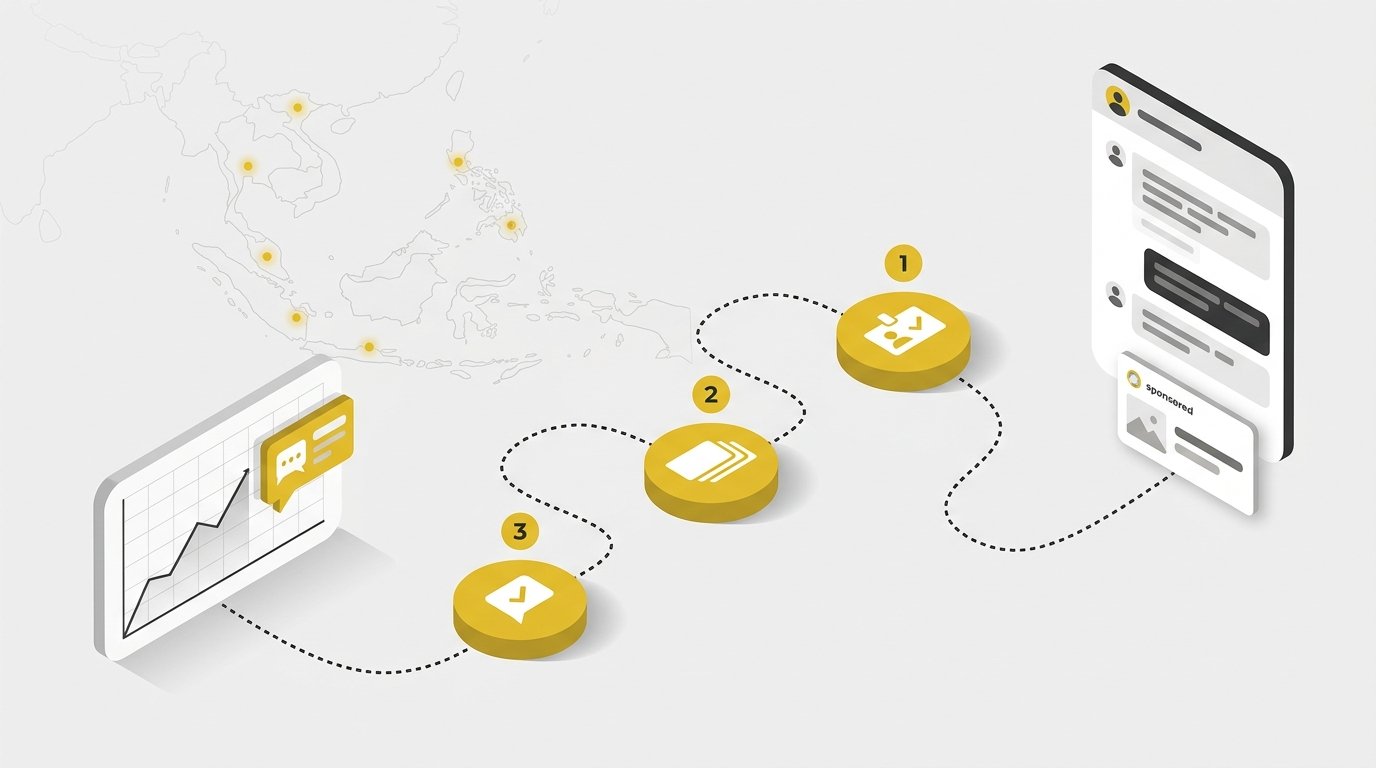
Setting up ChatGPT Ads takes three stages in Ads Manager: create and verify the advertiser account, build a campaign with ad groups and ads, then launch and check that each ad is serving. The five steps below follow OpenAI’s quickstart guide, with notes from our own setup.
1. Create your Ads Manager account
- Go to ads.openai.com and select Log in or Sign up.
- Sign in with the OpenAI account you use for ChatGPT, or create one tied to your work email.
- Enter your website URL so Ads Manager can draft your first ad and campaign, or skip that and go straight to Ads Manager.
- Enter your advertiser name and the other required account details.
Check the country or region, currency and time zone before you submit. OpenAI’s account setup guide says these three can’t be changed after the account is created.
Have one person create the account and invite everyone else. If your company already has an account, ask its admin for an invite rather than opening a second one.
2. Complete billing, verification and team access
- Open Billing and add a credit card and your billing profile: business name, billing address and invoice email. Campaigns can’t deliver until billing is set up.
- Go to Settings → General and check your logo, Account Name, Brand Name and Legal Name. The advertiser name you entered fills all three at first. Brand Name is what people see next to your ads, and Legal Name must match your registered business because it’s used for billing and business verification.
- Go to Settings → Users, select Invite and give each person a role: Admin (full access), Member (create and manage campaigns) or Viewer (view only).
Get the names right the first time. A later Brand Name change triggers a brand review and pauses ads until it’s approved, and a Legal Name change restarts business review.
Business verification is where our setup slowed down. As an Indonesian PT, we verified with our NPWP, the Indonesian tax ID, and our campaign sat at “Not serving” while that check ran.
It wasn’t a rejection, just a wait. The campaign started delivering once verification cleared, so leave room for it if you have a launch date.
3. Build your campaign, ad groups and ads
Ads Manager offers guided creation, which walks you through each screen, or bulk upload using OpenAI’s campaign template. Bulk upload doesn’t support product-feed campaigns yet.
- Create the campaign and choose its objective and budget.
- Add an ad group for each intent you want to reach, and write context hints that describe those conversations.
- Create the ads in each group: title, copy, image and landing page.
- Submit the campaign for review.
On your first campaign, the start and end date options may not appear until after the campaign is created. Don’t publish just to reach those settings, because the ads could start running before you’ve set a schedule.
4. Set up conversion tracking before you launch
Under Conversions, connect a data source, which is OpenAI’s pixel on your website, and choose the conversion events you want to count. Then confirm in the Event Stream tab that events are actually arriving. If you manage tags in Google Tag Manager, set up Google Tag Manager and GA4 first, so your own analytics records the same actions.
[IMAGE: Ads Manager Conversions page, Data Source tab | file: AppData/Local/Temp/claude/C–Users-Lawrence/06157ae2-cf9c-4966-8e2a-38acc8bec1dc/images/7.png | blur: promotion box with amounts, pixel ID | alt: OpenAI Ads Manager Conversions page showing the Data Source tab with a connected website pixel]
The next section covers what to count and the mistake we caught.
5. Launch and check that ads are serving
Ads go live after they pass review, as long as billing, verification and campaign settings are complete. Check each ad’s status in Ads Manager. If an ad shows “Not serving”, hover over the status to see why. Many issues are fixed by editing and resubmitting, but some ads are rejected for policy reasons, and others stop until account review, business verification or billing is resolved.
In the first days, remember that impressions, clicks and click-through rate refresh about every 15 minutes, while spend can lag 7–8 hours, according to OpenAI’s Help Center (2026). A spend of zero next to fresh clicks doesn’t mean you haven’t been charged.
Before you sign up: ads you create during sign-up can start running, and spending, as soon as they pass review and billing is in place. Open Ads Manager right after sign-up, check the campaign’s status, budget and schedule, and pause it if you aren’t ready to launch.
If you’d rather not handle verification, structure and tracking yourself, Gwenchana offers ChatGPT Ads setup support.
ChatGPT Ads setup
Want help with verification, campaign structure and tracking?
Tell us what you sell and which ad channels you already run. In a free consultation, the Gwenchana team helps you check eligibility, plan ad groups and context hints, and set up conversion tracking before your first campaign goes live.
Book a free consultationHow to measure ChatGPT Ads results (and the mistake we caught)
Before trusting any results, check which event Ads Manager counts as a conversion, because it may not be the action you actually want, such as a WhatsApp chat.
Tag every ad with UTM parameters
OpenAI’s Help Center confirms that static tracking parameters added to landing page URLs stay on ad clicks, so GA4 and other analytics tools can see ChatGPT Ads traffic. We used:
- utm_source=chatgpt and utm_medium=cpc
- utm_campaign for the campaign
- utm_term for the ad group
- utm_content for the individual ad
Putting the ad group and the ad in the URL is what let us compare ad groups in GA4 later, where the WhatsApp clicks were recorded.
Check what Ads Manager actually counts as a conversion
Our campaign’s goal was WhatsApp chats from a landing page written in Indonesian. In Ads Manager we had two conversion events: Page Viewed, and Lead Created, which fires when someone clicks the WhatsApp button.
A few days in, the numbers didn’t add up. Ads Manager reported more “conversions” than we were getting chats, and on some days the two moved in opposite directions.
The answer was under Conversions → Conversion Events. The campaign was using Page Viewed as its conversion event, while Lead Created had recorded zero events and wasn’t attached to any campaign. Every landing page view from the ad counted as a conversion.
[IMAGE: Conversion Events tab showing Page Viewed used by 1 campaign and Lead Created with 0 events | file: AppData/Local/Temp/claude/C–Users-Lawrence/06157ae2-cf9c-4966-8e2a-38acc8bec1dc/images/8.png | blur: promotion box with amounts | alt: OpenAI Ads Manager Conversion Events tab where Page Viewed is used by one campaign and Lead Created has zero events]
The Diagnostics tab flagged two more warnings: no recent server-to-server events, and events missing user data such as email and external ID. Neither stopped the ads from running, but both are worth fixing before you optimize for conversions.
[IMAGE: Diagnostics tab with two medium-severity warnings | file: AppData/Local/Temp/claude/C–Users-Lawrence/06157ae2-cf9c-4966-8e2a-38acc8bec1dc/images/10.png | blur: promotion box with amounts | alt: OpenAI Ads Manager Diagnostics tab listing no recent server-to-server events and missing user data warnings]
To check your own account:
- Open Conversions → Conversion Events and read the “Used by” column. The event your campaign uses should be the action you care about.
- Open Event Stream, trigger that action yourself and confirm the event arrives.
- Compare the Ads Manager count with your own record (GA4, CRM or inbox) for the same days before you change any bid or budget.
Measure the action that matters
For a lead campaign in Indonesia, that action is usually a WhatsApp chat. We tracked it at two levels: a GA4 event, whatsapp_click, that fires when someone clicks a wa.me link, and the chats that actually arrived. The chats were easy to attribute. The landing page’s WhatsApp button opens a pre-filled message, and GA4 showed no WhatsApp clicks from any other traffic source on that page during the test, apart from our own test clicks.
[IMAGE: Google Tag Manager trigger firing on clicks where the Click URL contains wa.me | file: AppData/Local/Temp/claude/C–Users-Lawrence/06157ae2-cf9c-4966-8e2a-38acc8bec1dc/images/2.png | blur: none | alt: Google Tag Manager link click trigger set to fire when the Click URL contains wa.me]
Here is how the three counts compared over the same three days:
| Source | What it counted | 9–11 October 2026 |
|---|---|---|
| Ads Manager | “Conversions”, which were page views as configured | 6 |
| GA4 | WhatsApp button clicks from ChatGPT Ads | 24 |
| WhatsApp inbox | Chats that arrived with the pre-filled message | 21 |
GA4 clicks tracked real chats closely. The Ads Manager count, as we had set it up, didn’t. Across 9–12 October the campaign brought in 26 WhatsApp chats.
The UTM split showed where those clicks came from. Between 7 and 11 October, the ad group aimed at businesses already looking for an advertising agency produced 23 of the 28 WhatsApp clicks GA4 recorded, about 13% of its visits. The first-time-advertiser group produced 5, about 5% of its visits.
Treat these as early signals, not benchmarks. They come from one Indonesian account over less than a week, and a click on a WhatsApp button isn’t a qualified lead. GA4 also recorded only about three in four ad clicks as sessions, likely because our site delays some scripts until a visitor interacts.
Beyond the pixel, OpenAI announced on 5 October 2026 integrations with Hightouch, Tealium and LiveRamp, plus attribution partners including AppsFlyer, Adjust and Airbridge. Our free guide to tracking WhatsApp clicks from ChatGPT Ads walks through the GA4 and Ads Manager setup in about an hour. To judge results next to your other channels, compare attribution models and measure ROI across channels the same way you would for search or social.
What users see, and how they control ChatGPT ads
Users on Free and Go plans see a labelled ad below the answer, and they can dismiss it, see why it appeared, turn off personalization or switch to an ad-free plan.
OpenAI lists these controls:
- dismiss an ad
- share feedback on an ad
- see why a particular ad was shown
- delete ad data in one tap
- manage ad personalization
- upgrade to Plus or Pro, which have no ads
- on the Free plan, opt out of ads in exchange for fewer daily free messages
Paying doesn’t buy a mention inside the answer, because OpenAI says ads don’t influence ChatGPT’s responses. Appearing in the answer itself depends on whether ChatGPT can find and trust your content. That falls under organic AI search visibility, not advertising.
Should you test ChatGPT Ads now?
ChatGPT Ads is worth a contained test now if your buyers research and compare options before they buy and you can measure the action that matters, but Southeast Asia has no public benchmarks yet.
It fits when:
- your buyers ask questions and compare options before buying, as with B2B services, software, education or considered purchases
- you can track the real outcome, whether a chat, a form or a sale, and connect it to the ad
- you’re prepared to treat the first weeks as learning rather than proof
It’s better to wait when:
- your main conversion happens offline and you have no way to connect it yet
- your landing pages don’t answer the questions people ask ChatGPT
Keep the first test small: one campaign, two or three ad groups split by intent, a fixed end date, and an agreed way to count results before launch. Expect the platform to change while you test. OpenAI said in September 2026 that new formats, optimization tools and measurement are coming over the next few months.
If you’d like a second pair of eyes on your eligibility, campaign structure and tracking before you launch ChatGPT Ads, book a free consultation for your ChatGPT Ads strategy with the Gwenchana team.
Free consultation
Plan your ChatGPT Ads test with the Gwenchana team
We’ll agree on one success metric, how to count it, and how to compare the results with the Google and Meta campaigns you already run.
Book a free consultation